
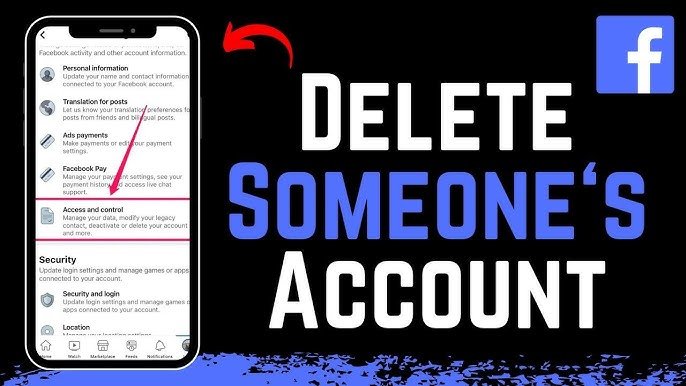
In today’s digital world, many users are becoming more conscious of their online privacy and screen time. If you’re thinking about leaving Facebook permanently, this guide will walk you through how to delete your Facebook account easily and securely. This SEO-friendly article includes clear steps, important tips, and things you should know before deleting your account.
Why Delete Your Facebook Account?
There are several reasons why people choose to delete their Facebook accounts:
- Privacy concerns and data security issues
- Reducing social media addiction
- Avoiding unwanted ads and tracking
- Simplifying digital life
Before you proceed, it’s important to understand that deleting your account is permanent and cannot be undone after a certain period.
Difference Between Deactivating and Deleting Facebook Account
Before you take action, know the difference:
- Deactivate Account: Temporary. You can reactivate anytime by logging back in.
- Delete Account: Permanent. All data, photos, and messages will be erased after deletion.
If you’re unsure, you may want to deactivate first instead of deleting permanently.
Things to Do Before Deleting Your Facebook Account
Before deleting your account, consider these important steps:
1. Backup Your Data
Download your Facebook data, including photos, videos, and messages.
- Go to Settings & Privacy
- Click Settings
- Select Your Facebook Information
- Click Download Your Information
2. Disconnect Apps and Services
Many apps and websites use Facebook login. Make sure to update those logins before deleting your account.
3. Inform Your Contacts
If you use Facebook Messenger to stay connected, inform your friends about alternative ways to reach you.
Step-by-Step Guide to Delete Facebook Account

Follow these simple steps to permanently delete your Facebook account:
Step 1: Open Facebook Settings
- Log in to your Facebook account
- Click on your profile picture (top right corner)
- Select Settings & Privacy → Settings
Step 2: Go to Account Ownership and Control
- Click on Accounts Center
- Select Personal Details
- Choose Account Ownership and Control
Step 3: Select Deactivation or Deletion
- Click on Deactivation and Deletion
- Choose Delete Account
- Click Continue
Step 4: Confirm Your Decision
- Enter your password
- Click Delete Account
- Facebook gives you 30 days to cancel the deletion request
- After 30 days, your account and all data will be permanently deleted
- It may take up to 90 days to completely remove all data from Facebook servers
During this period, your information is not accessible to others.
Can You Recover Your Facebook Account?
Yes—but only within 30 days of initiating deletion.
To recover:
- Log back into your account
- Click Cancel Deletion
After 30 days, recovery is not possible.
Tips for a Smooth Account Deletion
- Double-check you’ve saved all important data
- Remove Facebook access from other apps
- Consider switching to other communication platforms
Deleting your Facebook account is a big step toward protecting your privacy and reducing digital distractions. By following this guide on how to delete a Facebook account, you can ensure a smooth and secure process. Always remember to back up your data and review your connected apps before making the final decision.
Adolf Hitler Biography and His Brutality
What Is Middle East and Why Is It Called Middle East?
Read Also: Dating Or Matrimony Website Design